
Video & Camera tape transfers
Specializing in converting old fading video tape footage. Rare formats such as BetamaxSP, Umatic, S-VHS, VHS-c and Betamax. We transfer your footage to DVD or directly into PC or Apple computer. Providing you with DV or Quicktime videos files so you may edit your Hi8, VHS, VHCs, 8mm tape, Pal, Secam and NTSC tapes, MiniDV and Digital8 tapes yourself. Or sit with one of our editors and do it with us! We use only professional video equipment that is tested and serviced to ensure the highest quality transfers. The final DVDs will be completed onto the highest quality DVD discs that are compatible with 99% of the DVD players used today. We guarantee it. Most of our clients prefer to get their footage uploaded to a computer. This allows for further editing and eventually upload to the internet.
Video formats that we transfer
VHS tapes to DVD | MiniDV to DVD | Video8 to DVD | Betamax to DVD | Umatic to DVD | Professional tapes to DVD
VHS tapes to Hard drive | MiniDV to Hard drive | Video8 to Hard drive | Betamax to Hard drive | Umatic to Hard drive | Pro tapes to Hard drive
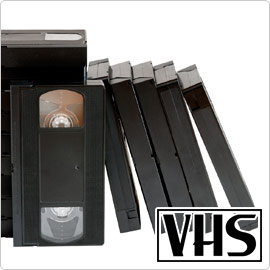
VHS Tapes
VHS is the most common household video format that dominated the market from mid eighties to early '00. We convert all variations of VHS to DVD and digital files, whether it's standard VHS cassette, Compact VHS (called VHSc) or S-VHS.
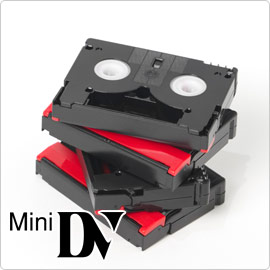
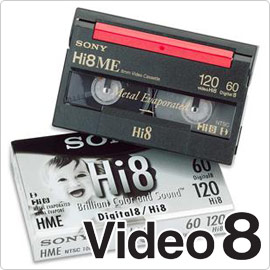
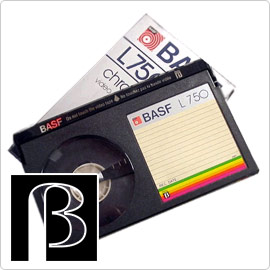
Professional formats
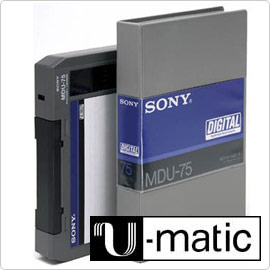
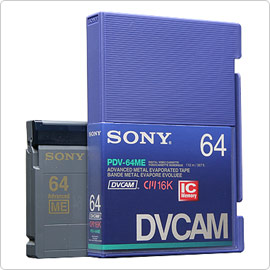
In addition to transferring all of the above video recordings, we also convert a wide range of professional formats. Whether you are looking to capture DVCAM tapes to AVI/Quicktime or 1/2" open reel video to DVD, we can help you. Call us today to discuss your specific project and we'll be glad to help you.
Why we are better
There are many companies on the internet who offer to transfer your video tapes to DVD. So why choose us?
In addition to being the most experienced transfer house in Canada, having multiple real studios to serve you better (No, we don't transfer your Hi8 to DVD in the back of the convenience store), your video cassette to DVD or computer file transfers will also benefit from our streamlined process described below.
Professional grade equipment
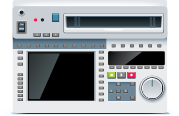
We only use professional equipment. This allows us to get the best possible image even from the oldest and most worn video tape.
We only use professional equipment. Most videotapes consist of a layer of tiny magnetic particles applied to Mylar, a strong, flexible plastic material. One of the most unfortunate issues with video tape is that the more it was used the more likely the tape has been deformed. Usually tape streaching causes problems with video drop outs that look like a band that crossed the screen. In some cases no matter how much you try to adjust the image you cannot get a stable video feed.
Of course, audio is severely affected where in many cases it's impossible to get any clear sound at all. By utilizing professional tape players it give us a much larger base to work from. We can adjust your footage twice as much as consumer equipment. Your tape will not only look better but sound better.
Our equipment is serviced regularly by the dealers and undergo routine testing to ensure the highest possible conversions at all times. But just like the computer saying video tape conversions start with perfect quality in equals perfect quality out.

Quality Control
After your video tapes have been transfered, our quality assurance staff will review the order to make sure everything is perfect.
It begins with the entry of your order. All orders are assigned a customer number. This number is then labeled to every single item you have left with us including the tape and the case. This make it impossible for orders to be mixed up. Your order is then assigned an editor. We try to make sure that only one person works on your order from start to finish. It ensures that quality maintained at the highest level through out and that if there are any issues, the editor is aware of all stpes being taken.
Our Clearance process is something we are very proud of. EVERY SINGLE order goes through a 2 step review by not only the editor working on the order but a digital specialist. We have found that this additional step (no taken by any other companies) virtually guarantees that when a customer does pick up their order it is perfect 100% of the time.

Sound
Video is not only about the picture. All transfers pass though professional grade audio processor for crystal clear sound.
A laugh from the past. You late uncles speech at your wedding. You great grand mothers advice during a holiday celebration. All lost without proper audio. 50% of any video you watch is what you hear.We take very special care to ensure that not only what you see if clear and perfect, but also what you hear is as it should be.
We use professional shielded audio cables with gold plated connections soldered and locked where possible. Our grounded stations ensure ZERO noise leakage and perfect quality conversions every time. Our professional editors who run the videotapes regularly turn up the sound and smaple sections to make sure all is perfect. ALL order then goes through a 2 step review by not only the editor working on the order but a digital specialist. We have found that this additional step (no taken by any other companies) virtually guarantees that when a customer does pick up their order it is perfect 100% of the time.
Need your audio enhanced? Look into custom editing. Our team can split the audio track from the video. Run all sound through special software that will remove sound peaks and clear up bad spots. In fact, we recently conert 80 video tapes over 140 hours of band footage for a Montreal highschool. They have won dozens of competitions and wanted to save these memories for future students. Our team was not only able to save all the footage, but was able to remove background hiss and even some of the recording noises. Then add the audio back to the video track creating an absolutely stunning final product.
Custom Editing
Don't stop at just transfering your videos to DVD. Meet with one of our editors to make a perfect presentation from your memories.
We are experts at sorting peoples precious memories, and we believe your digital memories should reflect the way your heart and mind remembers the good times... With the greatest moments!
Want to tell a story? The easiest way is to take the best parts of your videos, personal photographs, film and sound recordings and rearrange them into a stunning biography for your family and friends.Our team, including a producers, editor, digital media specialist and designer will sit down with you, help you create a lasting biographical story that will be cherished by your future generations. Would you like to enhance this further? We can send out a videographer to meet with you, your parter and the rest of your family and conduct mini interviews to be added to your life story.
Ship in your video cassettes for us to convert
Keep your memories safe. Ship using a bonded courier. Take your footage to any FedEx or UPS Store. All the necessary shipping materials you need will be provided right there and their associates may even package your media for you. As these memories are usually irreplaceable we suggest taking the time to double box and use bubble wrap.
Choose a carrier that offers delivery confirmation to ensure the safest, most direct delivery possible. Once you have the tracking number send us an email with the number. We will watch out for the order and will contact you as soon as it comes in. One of our associates will also, at that time, spend a few minutes review your order with you and ensure we completely understand your needs.
Price list
We are developing our order building application for video cassette conversion pricing. Until then, please fill out the form below or give us a call at 416 479 0537 and we'll give you a no obligation quote.
See our price list